_______________________
Guest post by Randi Zimmerman from the Symphonic BlogInstagram was once an app once based solely on imagery. Now, they’re expanding their reach into the realm of music.Here’s what you need to know:Similar to how you can record yourself singing along to your favorite songs via TikTok, you can now add songs and sing along on your insta stories with real time lyrics on your screen. Through the music tab on the app, you’ll find a music sticker that’ll grant you access to this fresh new feature.You can customize the way the lyrics show up by tapping the icons above the music bar. If lyrics are available for the song you’re looking for, they’ll automatically pop up, and they can be customized to change the animation and text style.Instagram announced all this by rolling out a video of Billie Eilish using the feature, singing along to her hit, My Strange Addiction.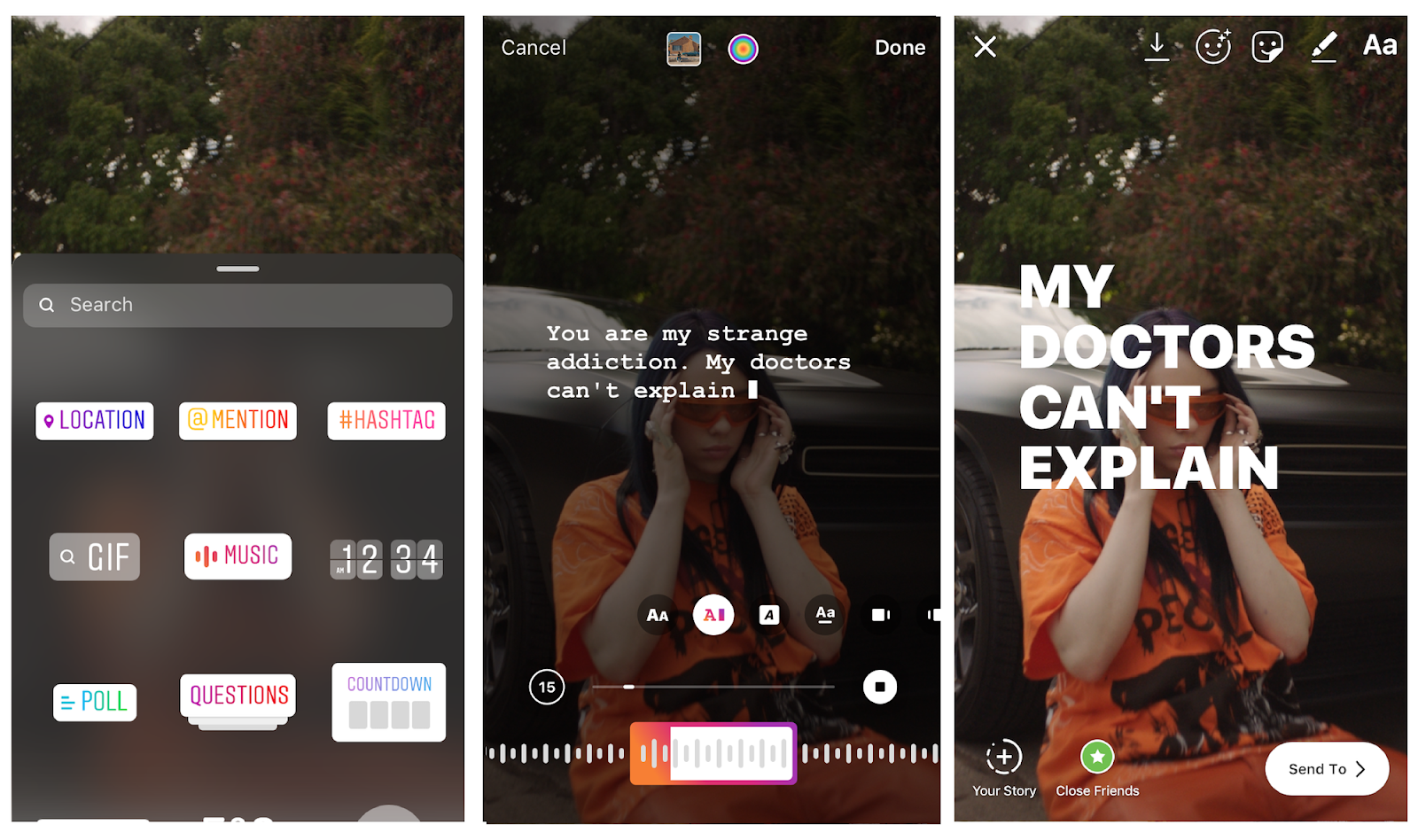
- Open your Instagram app. (Make sure it’s updated!)
- Select the camera icon on the top left corner of your screen.
- On the bottom menu, scroll over to Music.
- Choose a song to display on your Insta story.
- Drag the music bar to the part of the song you want to play.
- You can customize the way the lyrics show up by tapping the icons above the music bar.
- Go ahead and send your creation to your friends or publish to your story!
- Download the Musixmatch desktop app
- Sign in with your previously registered account
- Connect your streaming service
- Play your song. (You can play it from Spotify, iTunes or Windows Media Player and Musixmatch will show the lyrics automatically)
- If your lyrics aren’t available yet, simply click “Add lyrics” and type in the lyrics
- Edit the lyrics to make sure everything looks good.
- Done!