__________________________
Guest post by Brad Allen Williams of Soundfly's FlypaperThe beautiful, complex, and strange historical relationship between sound recording and music has changed a lot over the past century. Composition, performance, and audio capture, once relatively discrete disciplines, are now more often treated as one big, amorphous, creative process.But even though recording and mixing tasks have been increasingly wrested away from specialists, these are still highly technical pursuits with many concurrent, steep learning curves. There are an alarming number of ways to trick ourselves into thinking we’re making our recordings better even if we’re actually — and inadvertently — screwing them up beyond repair.The use of compression and limiting is one of the more treacherous minefields in the recording or mixing process. Because we’re manipulating average loudness, we can easily fall into the trap of thinking we’ve improved a signal when all we’ve actually done is make it louder (and worse).Armed with a little bit of knowledge, though, we can at least understand what’s happening when we use a compressor and, hopefully, train our ears what to listen for. In experienced hands, compression can be a powerful tool to help you bring your productions to their fullest potential.What is a compressor, anyway?
Let’s start here. A compressor, at its most basic, is a circuit designed to allow you to narrow the range between the loudest and quietest parts of a signal.How is this accomplished? Well, there are many different technologies, each with their own quirks, but a few general principles are usually the same:- A detector circuit senses the volume of the incoming signal
- A gain reduction device turns the volume down when the detector spots a loud bit
- An output amplifier turns the overall volume back up to compensate
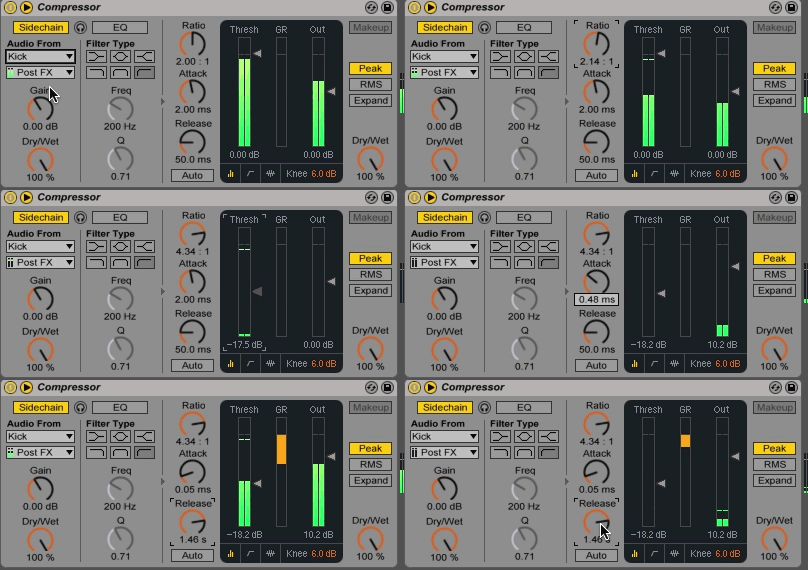
What do all of these knobs do?
A few iconic compressors have only a single knob, whereas others give control over six or more parameters. Think of these controls as instructions we give our compressor to tell it how to behave.Let’s take a look at some of the most common controls and break down their functions!Threshold
Imagine the compressor as a sort of loudness enforcer who says, “As long as the level stays below this point, it’s within the rules and I won’t touch it. But if it crosses this line, I’m going to turn it down.” The threshold control is how we tell our compressor precisely where to draw this boundary. Obviously, this needs to be set differently depending on the input signal. If set too high, the entire signal will remain unaffected below the threshold. If set too low, undesired over-compression and distortion can occur.Ratio
The ratio determines, proportionally, how much the signal gets turned down once it crosses the threshold. A 4:1 ratio setting, for example, tells the enforcer, “If this signal tries to go 4 dB over the line, you only let it go 1 dB.” A signal 8 dB over the threshold would only be allowed to go 2 dB above, and so on and so forth.A 1:1 ratio represents no compression at all. If we use a very high ratio — say, 100:1 — it’s tantamount to firing our enforcer and instead building a brick wall right at the threshold. Nothing is getting past that line. This makes our compressor act as a limiter.Knee
A less-common control is knee, which allows you to dial in a variable ratio that compresses harder the further you pass the threshold. A “soft” knee is like an enforcer who shows some leniency to misdemeanor-level offenders who only put a toe over the line.In this condition, a signal barely over the threshold might get a gentle low-ratio squeeze, while extremely loud bits might get a higher ratio that approaches limiting action. A “hard” knee, on the other hand, is strictly by the book — all signals that cross the line, no matter by how much, get the same specified ratio of pushback.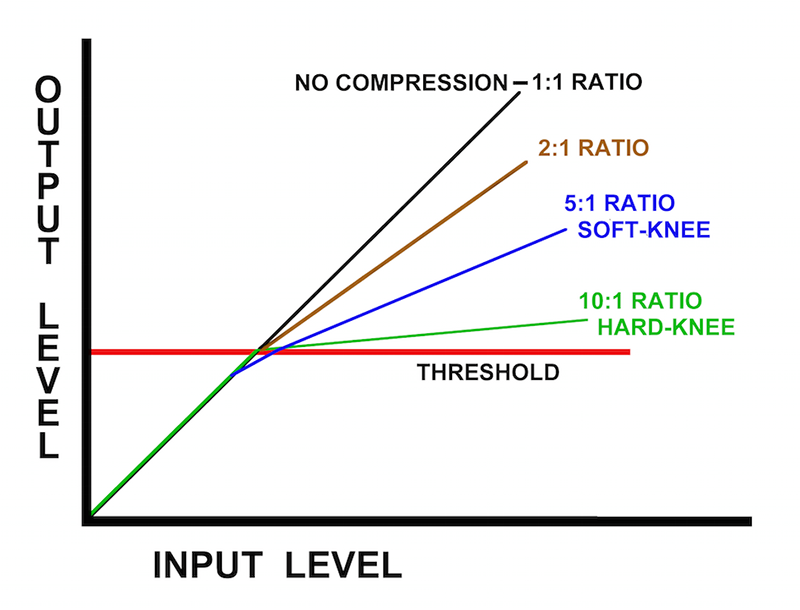
Attack
This control determines how quickly or lazily our automatic volume control turns itself down once the threshold is crossed. Faster attack times ask the compressor to turn the volume down very quickly, while slower attack times tell it to respond more gradually.Some compressor plugins have a “look-ahead” function, which turns our enforcer into a psychic that can see into the future and anticipate the signal’s moves, allowing instantaneous attack times not possible in the analog domain.Release
The release, or recovery time, determines the rate at which our automatic volume control turns itself back up once the signal falls back below the threshold. Set at a fast extreme, our enforcer lets up on its pushback rather suddenly as soon as the signal is back in bounds.At the slow extreme, it takes awhile to gradually let up, even once the level is below the threshold. With slower release settings, you’ll often notice an audible crescendo or swell as the compressor slowly brings the level back up to normal.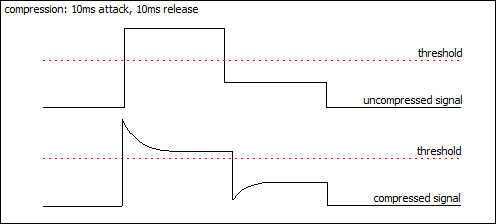
Makeup Gain
Since our enforcer is only ever turning things down from their starting point, the overall average level of our signal will be reduced. What compensates for this is makeup gain, sometimes labeled “output.” This is just a simple amplifier circuit at the end that allows us to turn up the overall level after squishing down the loudest bits.The Real World
In the world of hardware compressors and the plugins that emulate them, many of the above controls are optional. Some units might have knobs that serve dual functions, or theoretically discrete controls that are incidentally somewhat interactive.For example, on a UREI/Universal Audio 1176, selecting a higher ratio will also tend to raise the threshold a bit. Understanding these quirks is just part of the process of learning an individual device or plugin.
What can I even use this thing for?
Obviously, a compressor can be used for its original intended purpose; to even out a signal whose levels are overly dynamic (that is to say, it jumps around in volume too much). Compressors are often used (and abused) this way on entire mixes as well as individual tracks within an audio production.For example, if a vocalist has poor mic technique, their high notes in full belt are likely to be much louder than their middle and lower register. A well-placed compressor can help rein in the exaggerated dynamics, but be aware that the attack and release settings can be crucial in this type of application!Transient Modification Part 1: Pulling Out the Punch
Digging a bit deeper, compressors can also be used for shaping sonic character through modifying the transients, which are the loudest bits that typically happen at the very front of each note. We can use our compressor to either enhance or squish transients, depending on how the attack and release are set.The following snare drum recording was made with an RCA 77D ribbon microphone and is quite fat sounding in character.Audio Player 00:00 00:00 Use Up/Down Arrow keys to increase or decrease volume.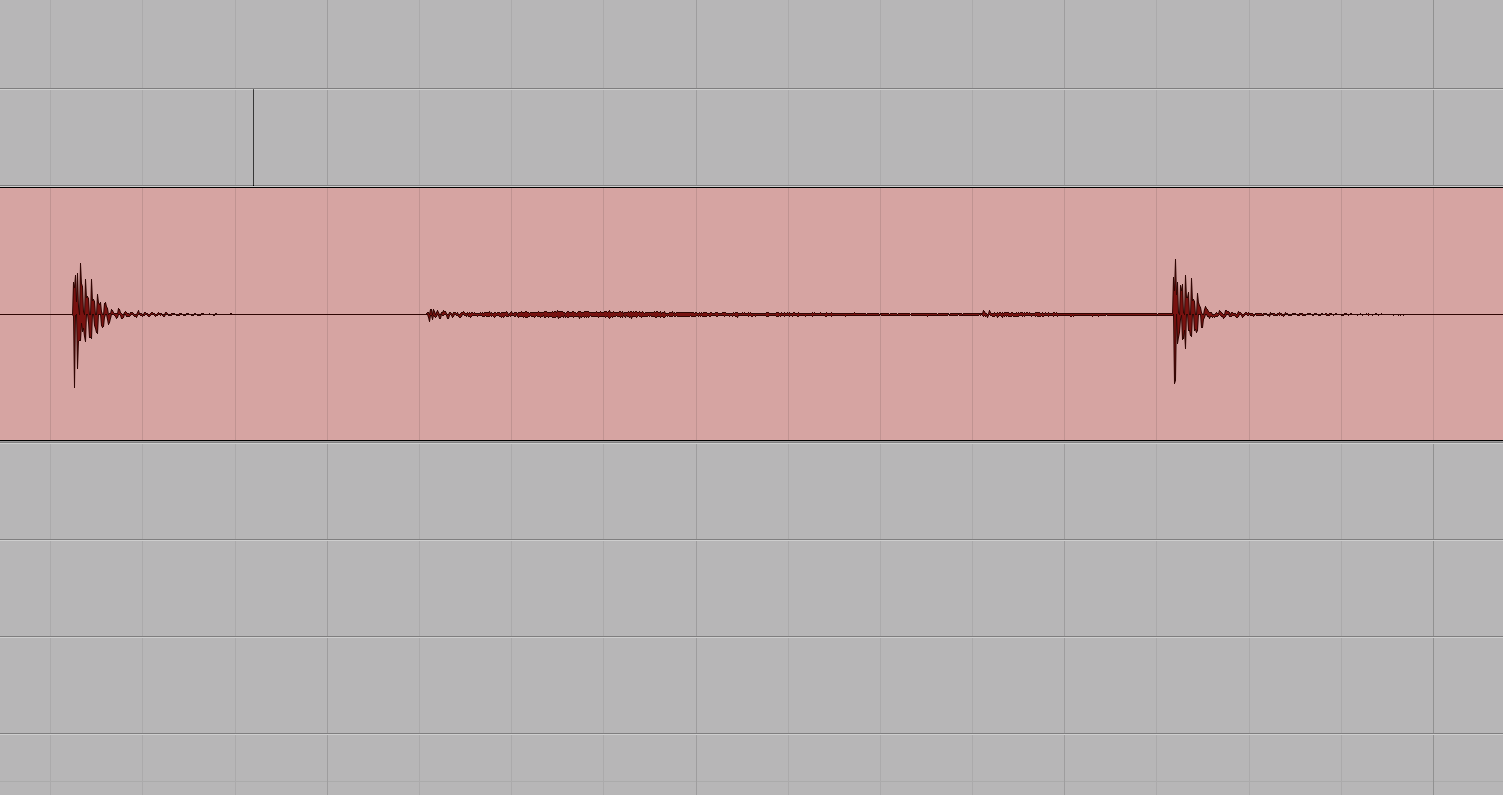
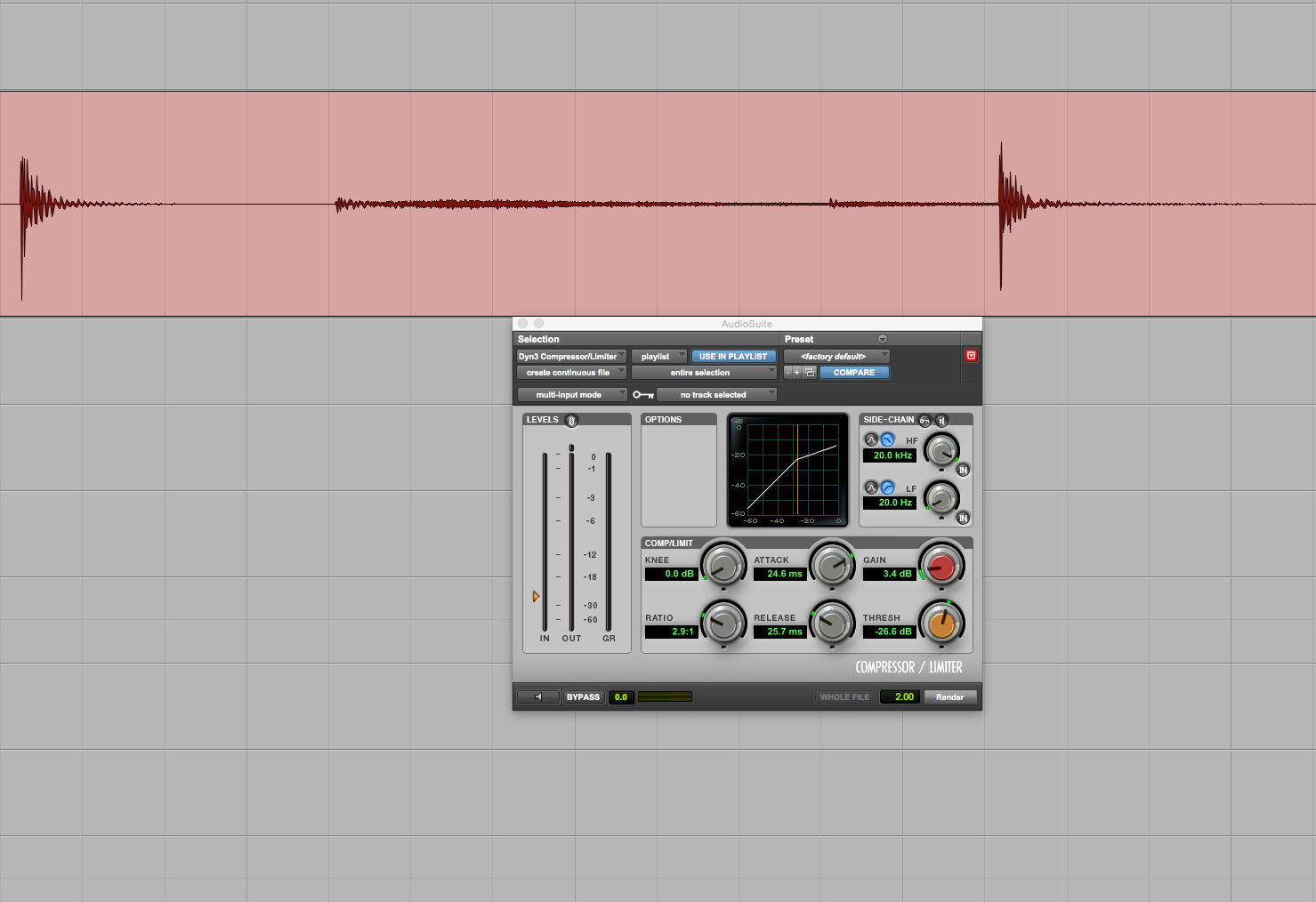
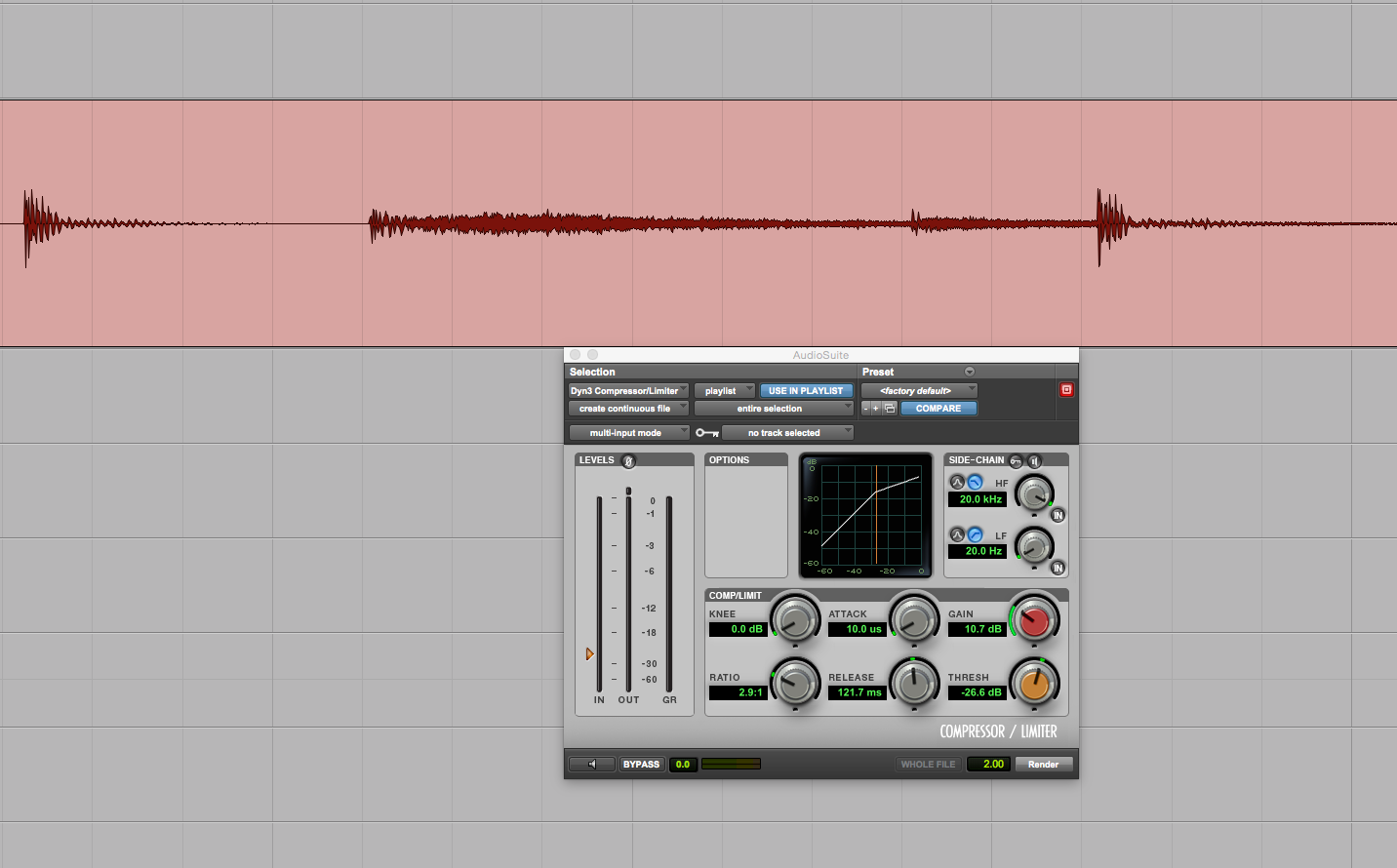
Transient Modification Part 2: Reining It In
Conversely, sometimes a source is too punchy and transient-rich. In this recording, I have a rhythmic Stratocaster part recorded direct-in without an amp.Audio Player 00:00 00:00 Use Up/Down Arrow keys to increase or decrease volume.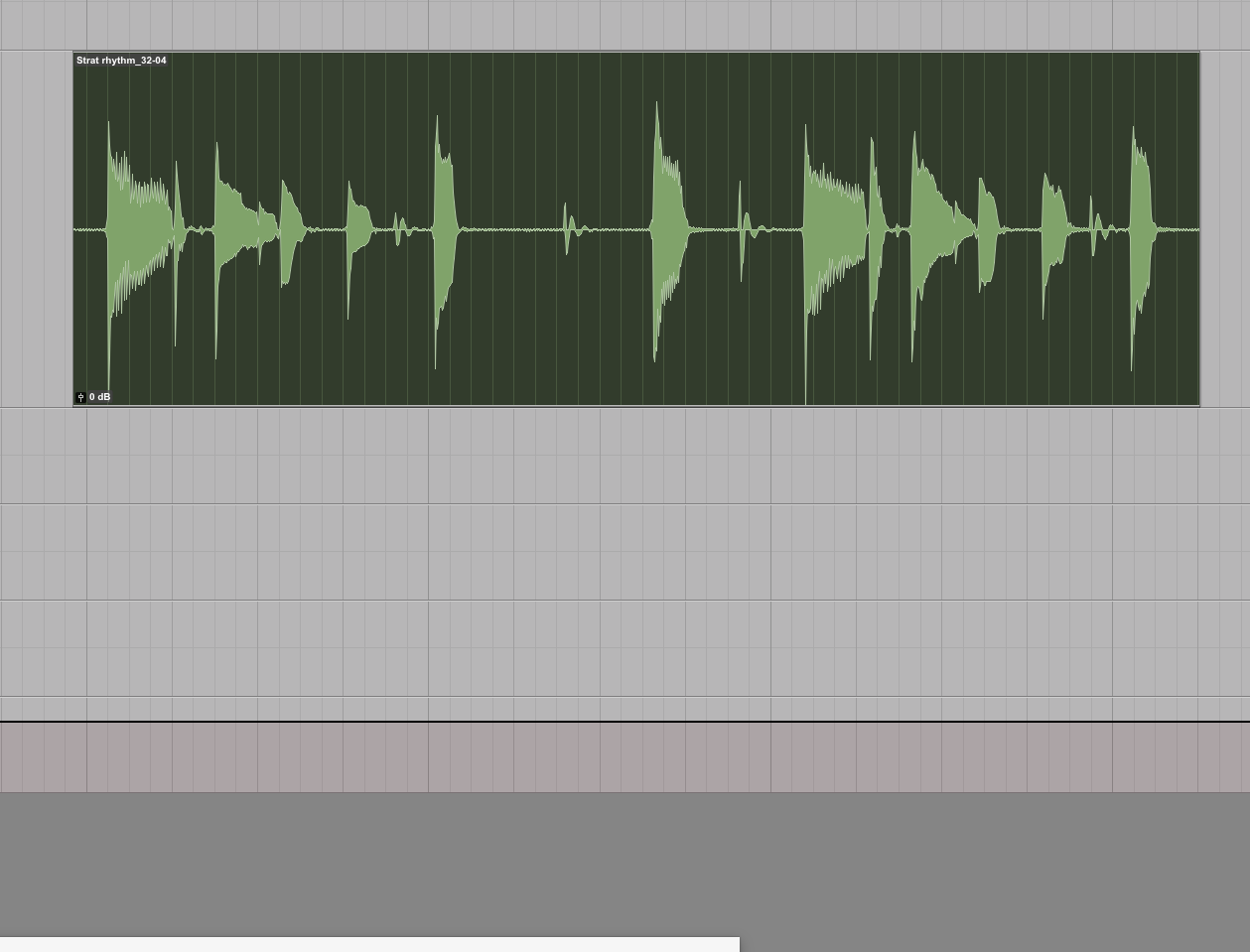
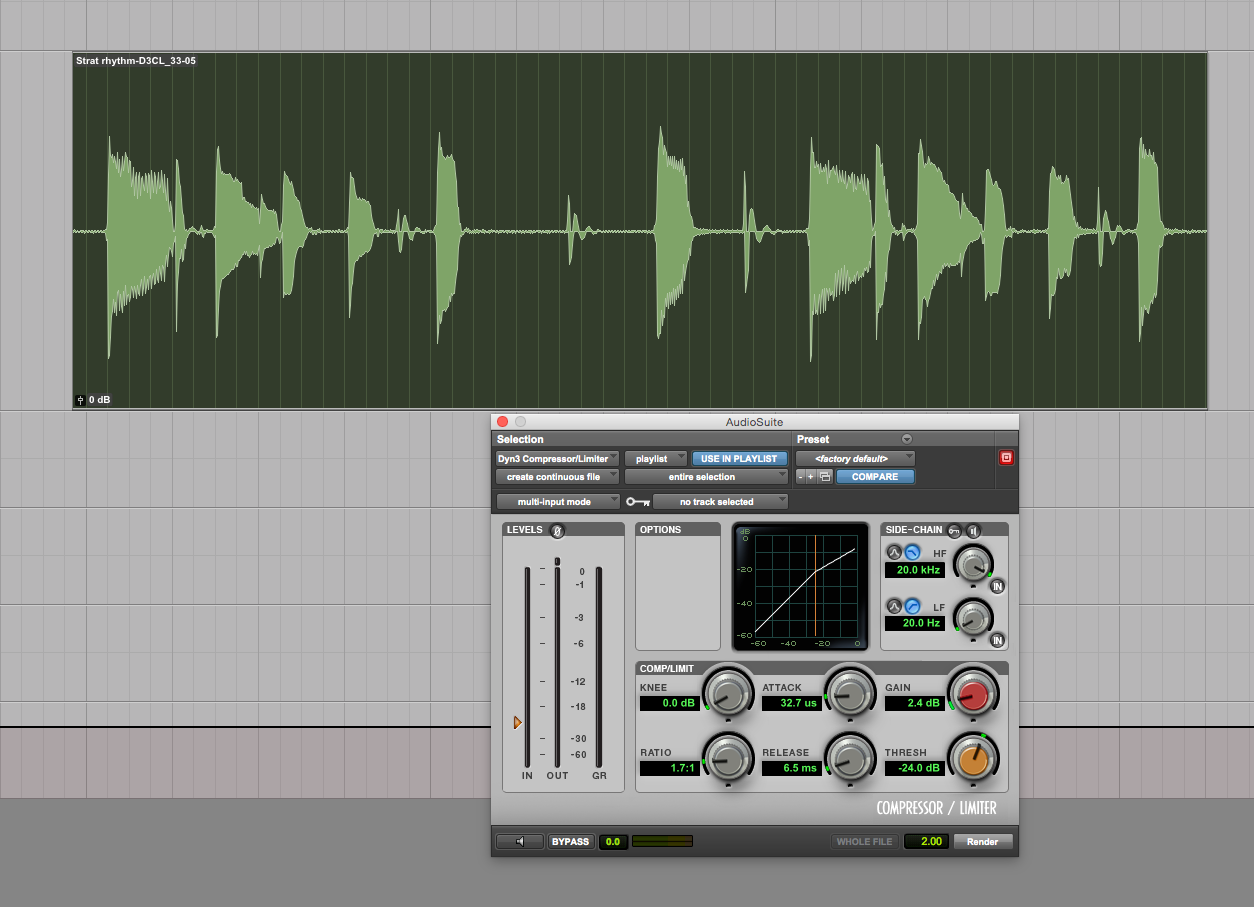
Sustain Modification
Particularly on slower material with long sustained notes, a compressor can be used to bring up the tail of a naturally decaying source like a plucked string. In the example below, an electric bass was recorded direct-in playing whole notes.Due to the natural decay of the strings, the note disappears before the end of the measure and some of the low-end support for the rest of the track goes away.Audio Player 00:00 00:00 Use Up/Down Arrow keys to increase or decrease volume.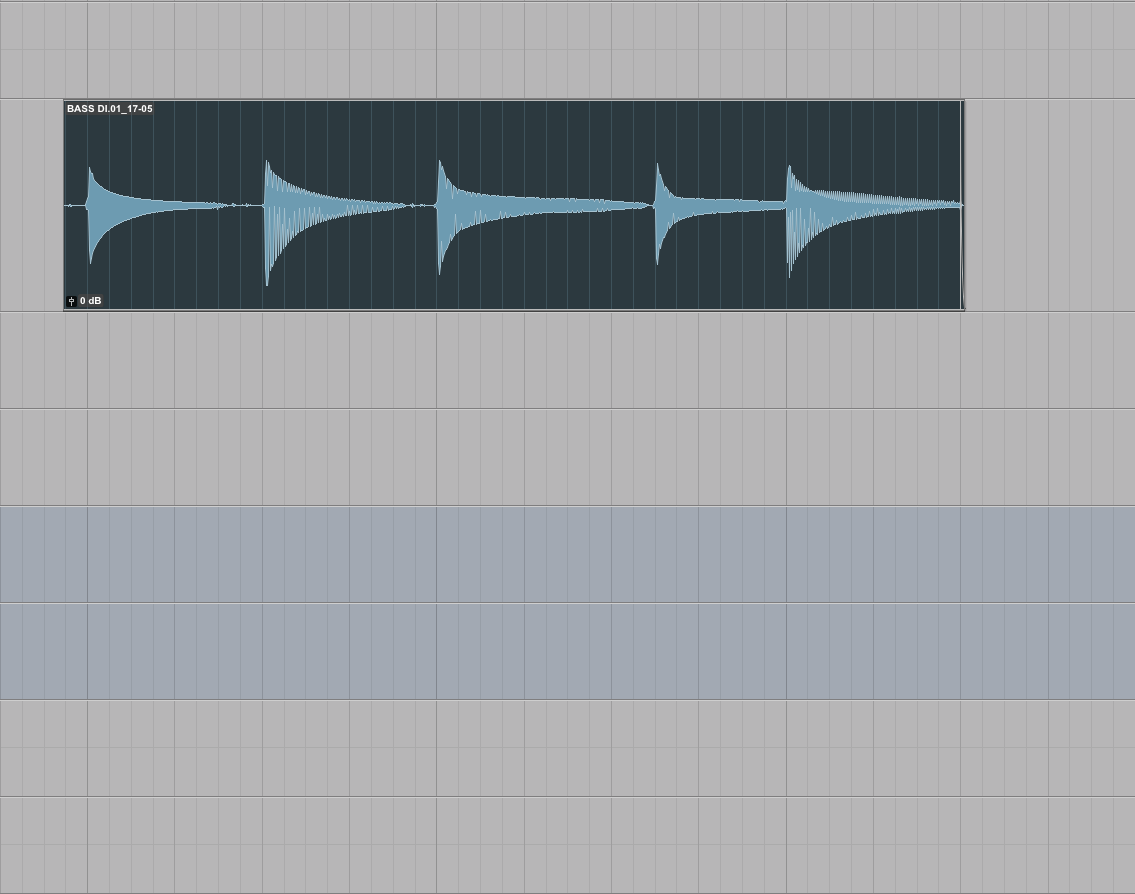
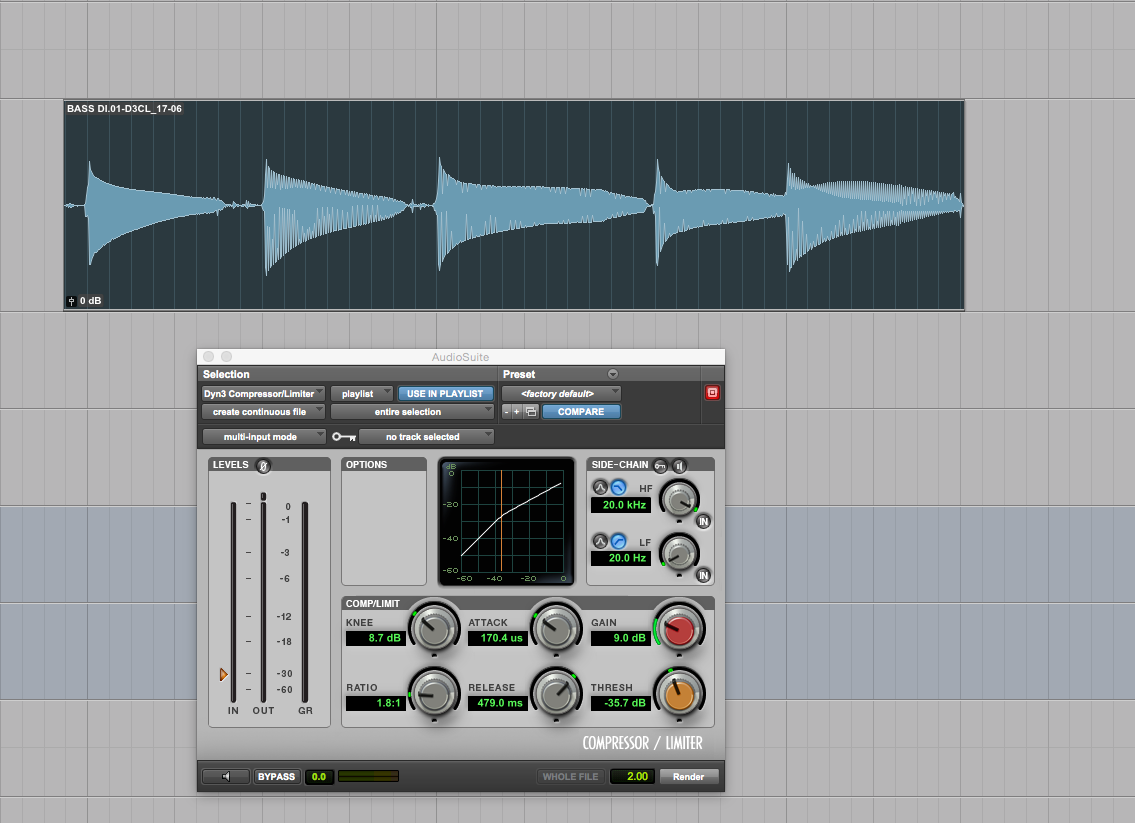
Destruction
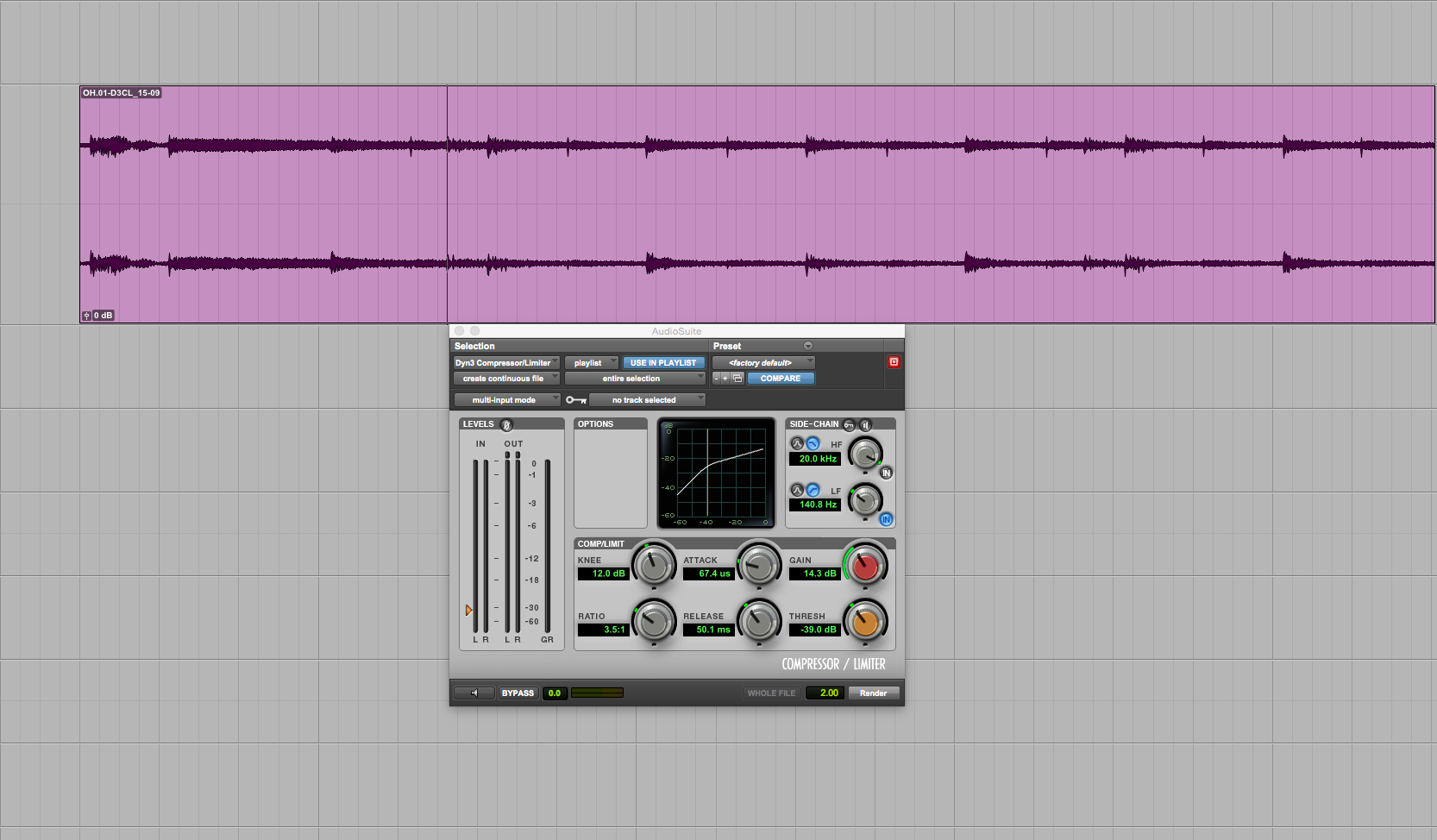
Sometimes, deliberately over-compressing a source within a mix can make a track feel energetic and aggressive. This is something that’s easily overused and can easily fatigue a listener, so handle with care. But it’s a color on the palette, so it’s there if the music calls for it.In this final example, I have a fairly well-recorded pair of drum overheads.Audio Player 00:00 00:00 Use Up/Down Arrow keys to increase or decrease volume.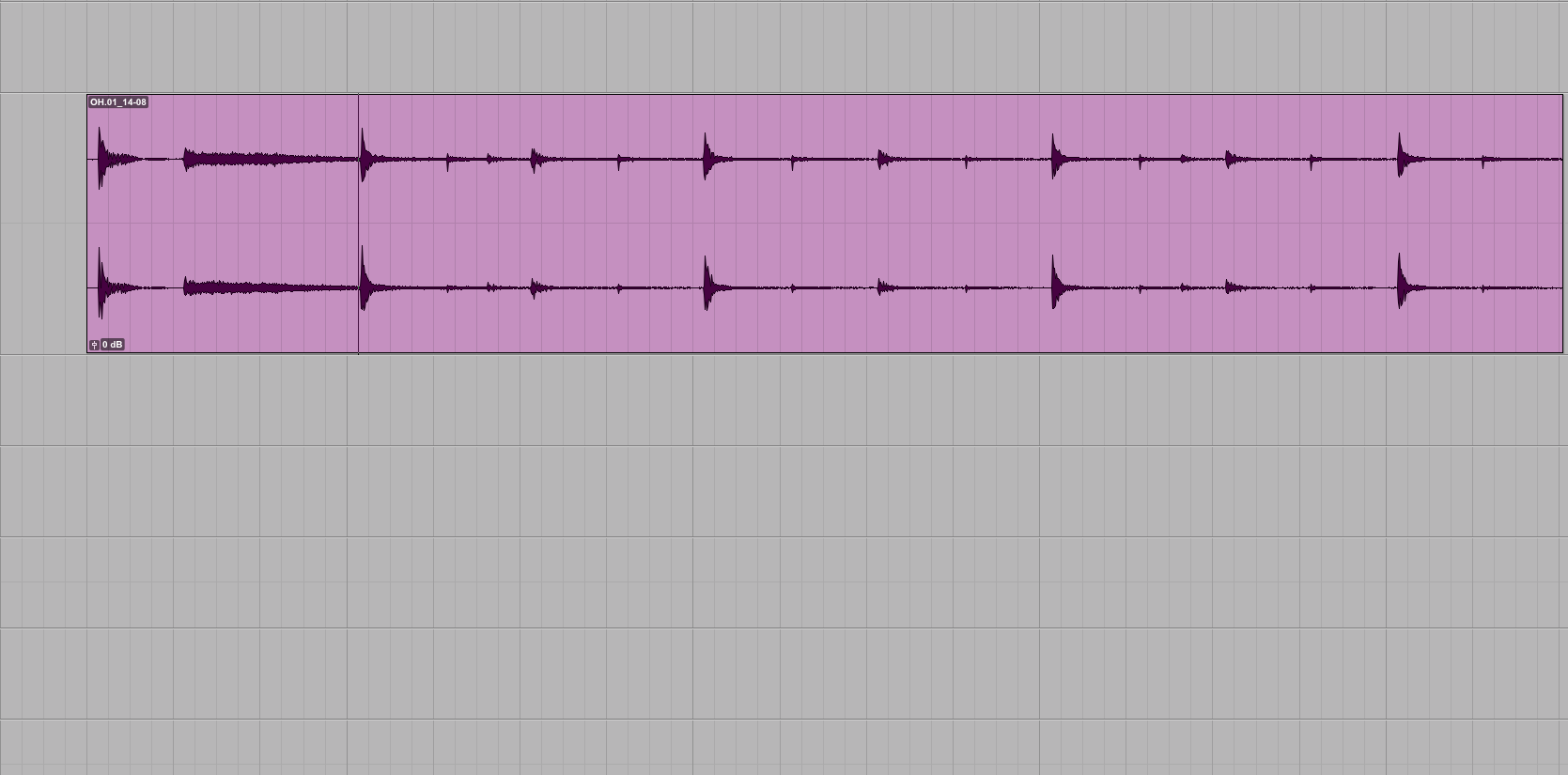
- a fairly aggressive threshold
- the ratio set at a relatively stout 3.5:1
- a moderately fast attack
- a timed release, synchronized to the tempo of the song so that the cymbals swell in time for dramatic effect