This guest post from Evolver.fm intern Peter Amara is another weekly app store round-up.The week's haul includes apps for social music discovery, speech to song and pitch analysis
Cantiga (free): Music junkies take note: Cantiga makes it a little too easy to share summer jams with your friends. Just double click or tap to share a track via e-mail or social networks like Facebook and Twitter, with options to personalize your message with a quote from the song lyrics.
The Guitar God ($3): One of the many guitar apps populating the app store these days, The Guitar God helps musicians looking to buff up on chord and scale shapes on the go. The app comes with a massive chord library of over 1,500 chords, with numbered finger placement markers and chord playback to ensure you’re fingering the chords correctly. 130 scale charts and a large fretboard will have you practicing finger placement with simple, easy to follow diagrams, and even practice tracks. You also get a pretty decent chromatic tuner as part of the deal. (See more musicians’ tools for the iPhone.)
Songify (free): We doubt you’ve been seeking an app to turn anything you say into music, because, well, why would you be? Does such a thing even exist? It does — and in fact, it’s suddenly the most popular free app in iTunes. Simply install Songify on your iPhone and speak into your phone — no need to sing, the way you do with Songify’s cousin, LaDiDa — and the app turns your tuneless ramblings directly into a song that you can share on Facebook, Twitter or email. We haven’t seen anything else like it — and, again, it’s free.
iLollapalooza (free): With Lollapalooza fast approaching this August, you may want to snag the festival’s official app to keep you up on all the latest developments. Keep track of all 130 artists playing this year’s festival with a simple, easily navigable iPhone app that lets you view line-up info, create a personalized event schedule; watch music videos from Lollapalooza 2011 artists; and follow artists’ Twitter feeds directly.
Sonos Widget (free): We couldn’t go a day without the Sonos digital music system at our office, which lets you play local music and a variety of music services. We rock a collaborative playlist pretty much all day long. This Android app allows Sonos users to control playback and volume straight from your phone (Sonos also has its own Android app).
Droid DJ Lite (free): This Android DJ app gives the DJs among us full pitch controls, automatic pitch set, BMP counters, and crossfading options to sync tracks between two visual mixing decks. Just load up a couple tracks and mix away on your Android smartphone — or, even better, tablet.
AudioSpectrumMonitor (free): This helpful app lets you see the pitch spectrum for any sound captured by your Android phone’s microphone, in real time. If you know what that means, you probably want this app. It differs from typical frequency spectrograms, which give readouts in Hertz, by displaying the actual pitches as a graph of equal tempered musical tones (lettered pitch name with a span of up to five octaves). This allows musicians to identify notes and view the closest musical pitch collection of any sound — musical or otherwise. Wondering about the exact tonal components of that jackhammer outside your window? Wonder no more.
Volume+ ($1.58): This app takes your Android’s volume level from 10 to 11, literally, by boosting the phone’s output to higher levels as well as enhancing the stereo field, should you desire. As with any apps that push the potential of your device beyond the manufacturer’s ratings, we recommend caution here. Setting the volume low until you can accurately gauge your phone’s limits will prevent damage to your speakers, warns the developer.
SongSprite (free): SongSprite lets users build playlists from YouTube URLs and share them with friends, who can then add their own tracks to the mix — just like Spotify’s collaborative playlist feature, except without the listening limits or need for payment. Changes happen in real time, so there’s no need to refresh to see new additions. When you’ve created the perfect mix, you can easily share the SongSprite URL in any way you see fit, or post it from within the web app with the built-in Facebook, Twitter, Reddit, and Stumbleupon integration.
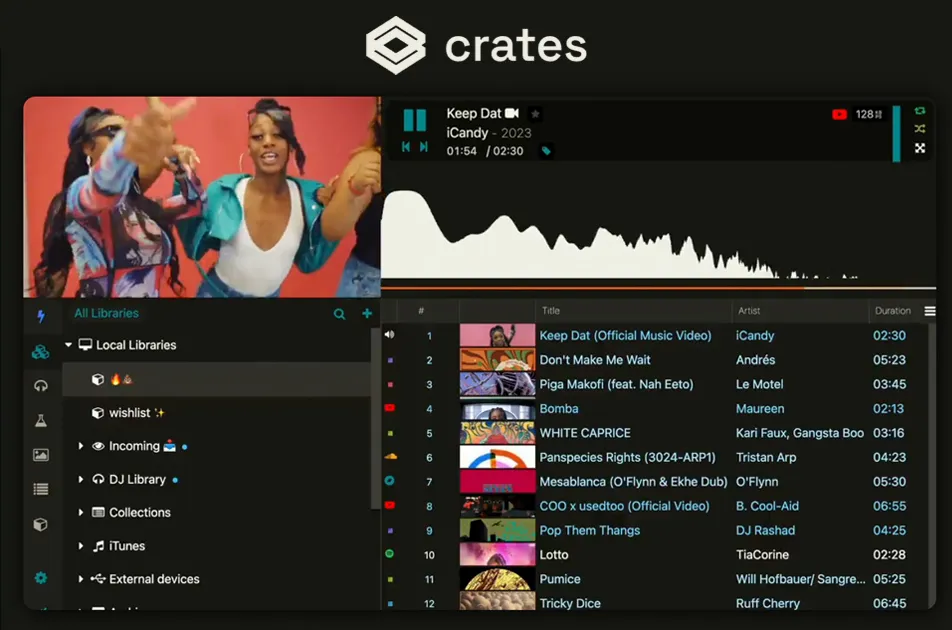
TuneCrank (free; pictured at the top): For those whose tastes fall outside the mainstream, TuneCrank ranks and streams thousands of great independent tracks for you to discover and enjoy. Users can view songs by all-time highest ranking, newness, or how fast they are moving up the rankings. The web app archives “number ones” from previous weeks, too, so you can keep track of even more hot tracks missing from the more mainstream hit parades.