TikTok has added text-only posts for the first time. The move comes as Elon Musk rebrands a stumbling Twitter as X and Meta break download records with launch its text app Threads.
Text posts will allow creators to “share their stories, poems, recipes, and other written content on TikTok – giving creators another way to express themselves and making it even easier to create.”
How to create a TikTok text post
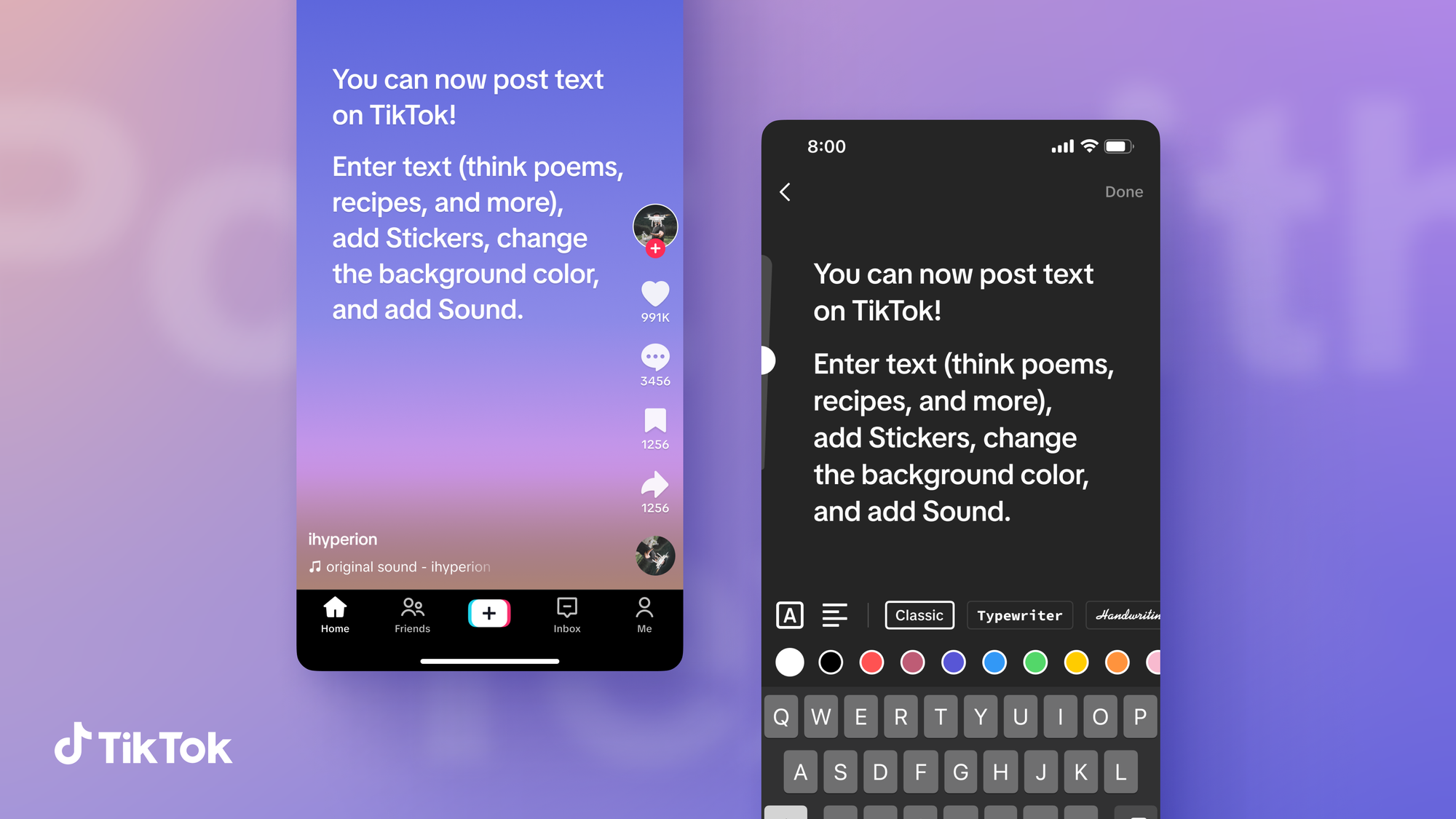
When you access the Camera page, you’ll be able to choose from three options: photo, video, and text. By selecting text, you’ll be sent to the text creation page, where you can type out the content of your post.
On the Post page, you’ll also find options to customize content including adding Sound, tagging a location, enabling comments, allowing Duets and more.
TikTok Text post features
- Stickers: Enhance your text by selecting stickers that relate to your content and add some pizazz to your post.
- Tags and Hashtags: Just like in video or photo posts, you can tag other accounts, as well as add hashtags that relate to relevant topics or trends.
- Background colors: Choose from a variety of background colors to make your text pop.
- Adding Sound: Sounds are core to the TikTok experience, which is why we’ve incorporated them into text posts. You’ll be able to add tunes that readers can groove to as they peruse your writing.
- Draft and Discard: Similar to video or photo posts, you can save your drafts and store them with other unpublished posts for later editing or discard them entirely.
Bruce Houghton is the Founder and Editor of Hypebot, a Senior Advisor at Bandsintown, President of the Skyline Artists Agency, and a Berklee College Of Music professor.