How to Create a List
- Go to the Lists page, which you can also access from the drop-down menu in the navigation bar.

- On the lists page, click “Create new list” on the right sidebar.
- Enter the list name (no more than 25 characters), its short description, and choose if you want the list to be private or public.
- Click “Save list.”
How to Add and Remove Accounts
- Go to a Twitter profile that you want to add to a list.
- Click the gear icon, then “Add or remove from lists.”
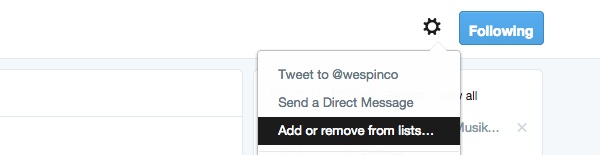
- You’ll see a pop-up with your created lists. Check the list(s) you want to add the user to, or uncheck to remove. You can also create a new list from there.
Search for Existing Lists
Unfortunately, building a great list isn’t as easy as it used to be, so here’s how to search through existing public lists — and you will want to do so, considering someone else has done a lot of research for you already.Go to a Twitter profile of an artist or a brand you assume is on at least one list. Take my personal profile as an example below.The number (29) shows the number of lists I’m added to. If you open the same page for a popular music blog, you’ll discover the lists this blog is added to. A lot of them will likely contain numerous other music blogs.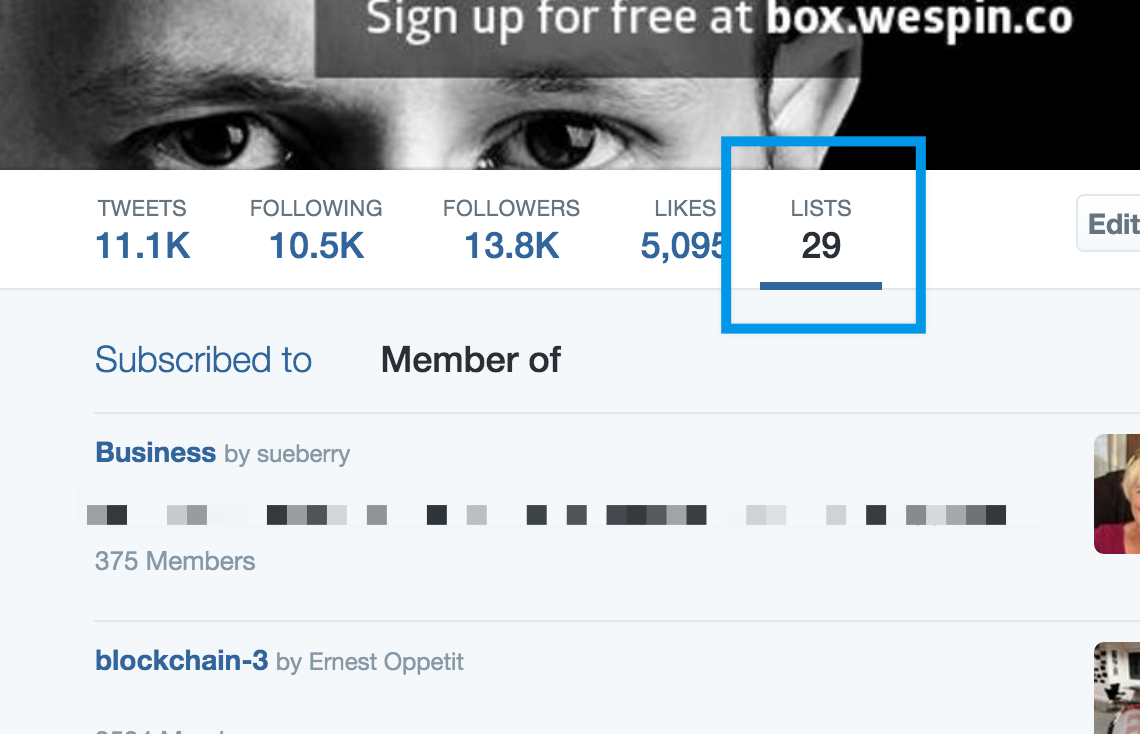
Create Your Twitter Lists
Now, let’s start creating lists that will work magic for your Twitter presence. Here are some of my recommendations, and you can go far beyond these ideas. A good rule of thumb is to create at least two types of lists to start with.Music industry professionals. People you can learn from and those you’re looking to connect with, or folks who might be able to help your career: marketers, label representatives, A&R, promoters, producers, agents, etc.Other artists. Consider adding local acts and artists in your genre on your level and higher. Your goal is to show your support. Many will return the favor without hesitation, and this can also lead to new partners and collaborations.A-list artists. These are obviously less-reachable artists, but it’s also helpful to try to glean some social media expertise from them (like what content is shared the most, what they talk about besides music, etc.).Top fans. Add your most active supporters to a separate list to see what they’re up to and engage with their content from time to time. If they’re representative of your key audience, also use this list to figure out what interests them. Direct-to-fan relationships are the strongest ways an artist can build lasting fanbases.Friends. You’ll be following more and more people as you work towards building an active following on Twitter, so you’d better create a personal (and private) list of your friends and relatives to avoid missing their tweets.Music journalists. This is one of the must-have lists — and before you start building your own, make sure to search for existing lists with journalists, bloggers, and podcasters covering your genre of music.Event attendees. If you’re going to attend an event, like a festival or a music conference, consider adding some of its attendees to a list. These can be those who you’re going to meet or have met or everyone who tweets using the event’s hashtag (use this IFTTT applet to automate it). Reconnecting and following up on Twitter is a great way to network.
Now, Monitor Your Lists
After you’re done creating (and revising) your lists, it’s time to start monitoring them daily.The simplest way is to bookmark your lists and check tweets in each of the feeds several times a day. Don’t fret; these sessions don’t have to take more than a few minutes. Make it a new little habit and consider doing it instead of checking your Facebook newsfeed when you’re feeling lazy.When you’re combing through your Twitter lists, don’t just read, but act on the most interesting and relevant tweets: favorite some of them, retweet one or two tweets per account per week, and leave meaningful replies as much as you can.Again, this is really about building your network online and showing other artists and music-industry professionals that you’re supportive of their work.I also highly recommend using a third-party tool to get the most out of Twitter lists. The two popular solutions are Hootsuite and TweetDeck.Bonus: Create and Manage Your Lists Smarter
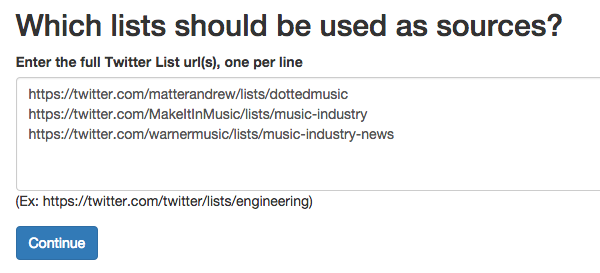
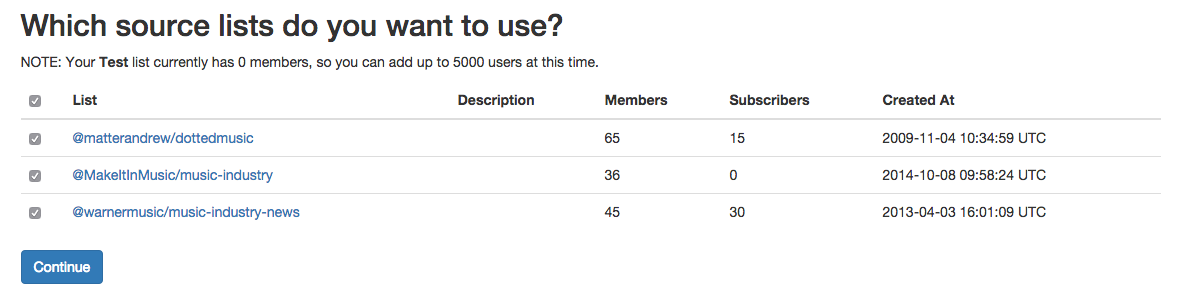
Here’s one little tool that will help you manage your lists called Electoral. Log in with your Twitter account, and feel free to check the Manage Lists and Explore Lists sections right away — they’re self-explanatory.Here’s how to expedite the process of creating new lists.Click the “Build List” button in the menu at the top. Create a new list.
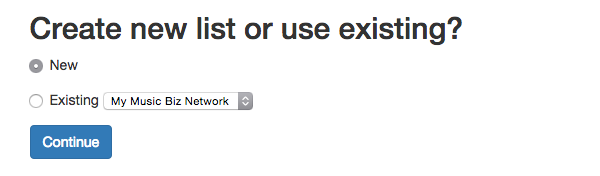
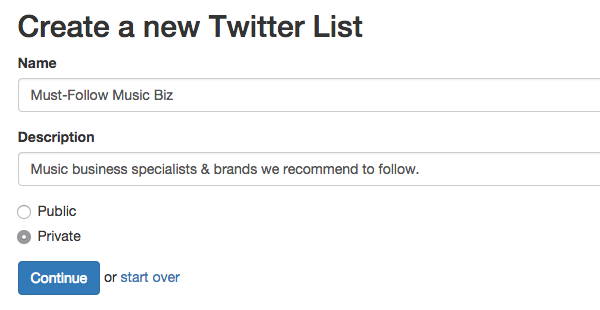
Then, give it a name and description and choose the privacy. I recommend starting with a private list.
- Add users in bulk.
- Fork your own copy of a public list.
- Merge multiple public lists into one.
- Add users that are common among other public lists.
Related articles