

Originally published on The Orchard
YouTube’s newest features for 2026 are designed to enhance your engagement, streamline your content creation process, and expand your reach. Here’s a breakdown of the recent updates.
Playlist & Content Engagement
Playlist Upvoting: You can now allow viewers to upvote their favorite videos in a playlist, which lets them shape the playlist flow. Top voted videos will appear first in the playlists.

Collaborations: YouTube has rolled out a new collaboration feature that lets creators add collaborators directly to videos, making it easier to share audiences and boost discoverability, similar to Instagram and TikTok. Collaborators now appear under the video title, complete with a clickable list and Subscribe buttons next to their names. This feature makes collaborations more visible and official, offering a way for smaller creators to gain exposure.

Live Streaming Features
Side-by-side ads on livestream: YouTube has rolled out side-by-side ads for live streams, letting viewers continue watching the stream while ads play. This new format is designed to be less disruptive than traditional full-screen midrolls while generating similar revenue. Channels with midrolls already enabled will have side-by-side ads automatically activated. To check or manage this setting, go to Live Control Room > Edit > Monetization. During the ad, the stream audio is muted and resumes automatically once the ad ends.

Practice going live: In response to a common creator anxiety, YouTube introduced Practice Mode, a new feature designed to provide a safe space to test your mic, check lighting, and get comfortable before going live. Think of it as a dress rehearsal for vertical live streams, allowing creators to practice without an audience present. Once ready, creators can go live directly from Practice Mode, making the transition to a real broadcast smooth and stress-free.
Automatic highlights for mobile live streams: For mobile live streams, there’s also the option to save a Short highlight video that’s automatically pulled from the stream. Highlights are saved as Private by default, but switching visibility to Public can expand reach through the Shorts feed.
Eligibility for Short highlights:
- Live stream is between 10 minutes and 12 hours
- Streamed in vertical format using the YouTube mobile app
- Not a screencast
- Live chat enabled
- Not set as Made for Kids
- Meets YouTube safety standards
Video Optimization & Testing
A/B Testing for Titles and Thumbnails: A/B testing is now available to all eligible creators for public, long-form videos, with tests starting automatically once a video is published. Creators can test up to three different titles, thumbnails, or combinations of both to help maximize video performance.
Hide end screens: Viewers can now hide end screens using a button in the top-right corner of the video, giving them more control over their viewing experience. Additionally, YouTube is removing the subscribe button when viewers hover over video watermarks, simplifying the interface and reducing distractions.

Thumbnail file limit:YouTube has expanded the thumbnail file limits from 2MB to 50MB, allowing creators to upload 4K-resolution thumbnails that look sharper and more impactful on large screens.
Creative Tools & Enhancements
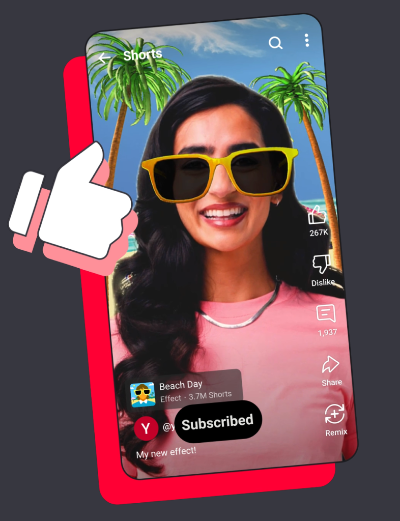
Effect Maker: Effect Maker is YouTube’s new web-based tool that allows eligible creators to create, manage, and publish custom effects for YouTube Shorts. Currently available on desktop only, creators can confirm eligibility by signing in and can even showcase their creations by adding an Effects section to their channel’s Home tab.
Effects can be published directly to YouTube, helping creators boost engagement, reach new audiences, and get discovered at scale. Beyond visibility, Effect Maker also opens the door to recognition, collaborations, partnerships, and real-world creative opportunities.
YouTube Shopping
Eligible creators can now tag products directly in their content, making it easier for viewers to discover and shop featured items. When products are tagged, viewers will see a Shopping button on long-form videos or a Shopping product sticker on Shorts, which they can tap to view the tagged products and visit the retailer’s website.
For Shorts, the Shopping product sticker displays the first product in your tagged list, but creators can reorder products, adjust sticker size, and change placement using the YouTube mobile app. If a sticker can’t be generated for a product or it doesn’t meet guidelines, YouTube will automatically show the next eligible product instead. Shopping product stickers are available globally, though visibility may be limited to viewers in select countries or regions.
Creators can also tag grouped products, which allow multiple variations (such as colors or sizes) to be included under a single tag. Grouped products are optional, and not all products support this feature.
Product Tagging Guidelines
- Products must be clearly visible, identifiable, and mentioned verbally or in text
- Products should be meaningfully and authentically integrated into the content
- Viewers should reasonably want to learn more or purchase the product
- Products must be shown and used as intended by the manufacturer
These guidelines apply across Shorts, live streams, and long-form videos.

These updates highlight YouTube’s continued focus on helping creators grow, experiment, and connect with audiences in more meaningful ways. As these features continue to expand, now is the time to test, adapt, and take advantage of what’s new to strengthen your channel and reach!
+Read more: "YouTube For Musicians: How It Can Help Grow Your Fan Base"