



How to Get Your Song Lyrics on Spotify as an Independent Artist
By Randi Zimmerman of Symphonic
Getting your lyrics on Spotify should be simple, but for a lot of artists, it’s not totally clear where to start.
Are lyrics supposed to be delivered through your distributor? Do you need to upload them somewhere else? And how do you actually get them to sync in real time on Spotify?
The short answer is that Spotify doesn’t manage lyrics directly. Instead, it relies on a third-party partner to handle them. And that’s where Musixmatch comes in. ⚡️🎧 In this guide, we’re breaking down how lyrics actually get to Spotify, how this works with your Symphonic releases, and what you need to do to make sure your lyrics show up the way they’re supposed to.
Let’s break it down…
How to Get Song Lyrics on Spotify
To get song lyrics on Spotify, you need to upload and sync your lyrics through Musixmatch, Spotify’s official lyrics partner. Once your lyrics are submitted and approved in Musixmatch, they are automatically delivered and displayed on Spotify.
How Does It Work?
Spotify doesn’t manage lyrics directly. Instead, it works with Musixmatch as its official lyrics partner. That means if your lyrics aren’t in Musixmatch, they won’t appear as synced lyrics on Spotify.
Musixmatch is a self-serve platform where artists, teams, and fans can submit and sync lyrics. Before anything goes live, lyrics go through a review and approval process. Once approved, they’re distributed across multiple platforms, including Spotify, Apple Music, Instagram, YouTube, and more.
As a Symphonic client, it’s important to understand how this connects to your release workflow. There are two different ways lyrics are handled:
- SymphonicMS: You can upload static lyrics as part of your release metadata
- Musixmatch: This is what controls synced lyrics on Spotify and other platforms
To get your song lyrics to show up and sync properly, they need to be added and approved through Musixmatch.
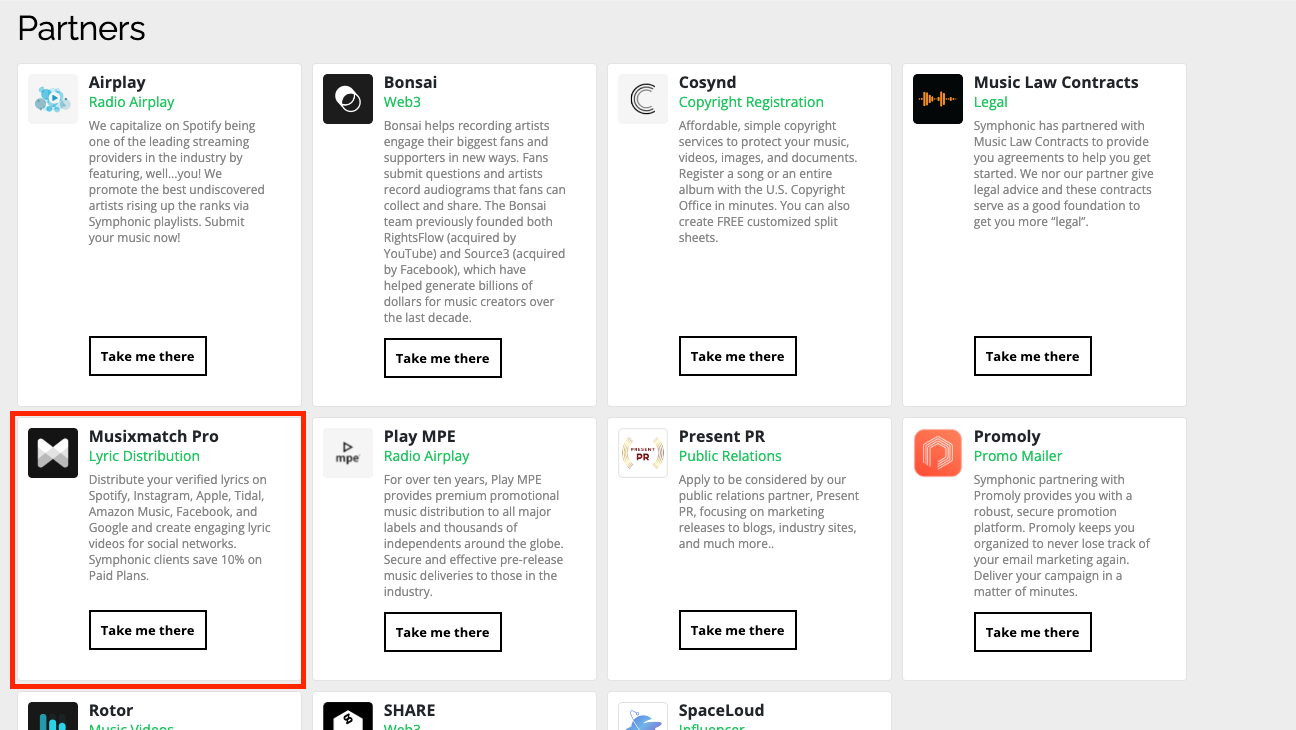
Because of Symphonic’s partnership with Musixmatch, Symphonic clients can find this offering available in the SymphonicMS under Marketing ► Client Offerings.
+Read more: "Spotify and NIVA team to amplify Independent Music Venues"
How To Add Your Lyrics Through Musixmatch
Once you understand that Musixmatch is what powers Spotify lyrics, the next step is actually getting your lyrics into the platform. The process itself is pretty straightforward, but it does require a few steps:
- Create a Musixmatch account and claim your artist profile
- Search for your track within Musixmatch
- Add your lyrics or edit existing ones
- Format your lyrics properly so they’re easy to review
- Sync your lyrics line-by-line with the audio
After submitting, your lyrics will go through Musixmatch’s review process before being approved and distributed.
There’s no separate upload to Spotify. Once your lyrics are live in Musixmatch, they’ll be delivered automatically.
When Should You Upload Your Lyrics?
Timing is where a lot of artists run into issues.
If you wait until release day, there’s a good chance your lyrics won’t be live when your track drops. Since Musixmatch reviews submissions before publishing, delays are normal. To avoid that:
- Upload and sync your lyrics before your release goes live
- Make sure your artist profile is verified ahead of time
- Double-check everything before submitting
If everything is done early (a couple days prior, at the very least), your lyrics are much more likely to appear on Spotify as soon as your release is live.
Why Add Lyrics to Spotify In The First Place?
Adding lyrics to your songs isn’t just a pretty addition. It directly impacts how listeners experience your music.
When lyrics are available and synced, fans can follow along in real time, which makes your music more engaging and easier to connect with. For genres where storytelling matters, this can make a noticeable difference in how your song is understood.
There are also a few practical benefits:
- Stronger listener engagement: Fans are more likely to stay on a track and interact with it when they can follow the lyrics
- Better accessibility: Lyrics make your music more accessible to a wider audience, including non-native speakers and hearing-impaired listeners
- More shareable moments: Lyrics often get screenshotted, quoted, and shared across social platforms
- More control over your content: Uploading your own lyrics helps prevent incorrect or incomplete versions from circulating
It’s a small step in your release process, but it adds another layer to how your music shows up across platforms.
Why Your Lyrics Aren’t Showing on Spotify
Your lyrics haven’t been approved in Musixmatch yet
Your artist profile isn’t verified
The lyrics haven’t been synced properly
Your track isn’t matched correctly in Musixmatch
There’s a delay in distribution across platforms
If your lyrics aren’t showing, double-check your Musixmatch submission and allow time for review and distribution.
Final Thoughts
Getting your lyrics on Spotify isn’t complicated, but it does require using the right platform.
Symphonic helps deliver your music and metadata, including static lyrics. But for synced lyrics on Spotify, Musixmatch is the system that makes it happen. And once you’ve set it up and gone through the process once, it becomes much easier to manage for future releases.
+Read more: "Pitching to Playlists? Here Are 6 Important Things to Remember"